Patient Portal: MyChart
A convenient way to access your health information.
MyChart is a free, secure online patient portal that lets you access your health information using a computer, tablet or smartphone.
HGMH is introducing MyChart as part of our transition to Epic, the shared electronic health record system used by participating Atlas Alliance hospitals.
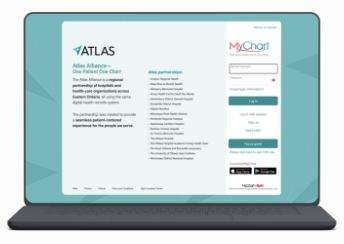
Already have a MyChart account with an Atlas Alliance partner?
You can continue using that account. Your HGMH information will be added when we transition to the shared system.
Use MyChart on your phone
Download MyChart by Epic from the Apple App Store or Google Play Store. Open the app, select Atlas Alliance, and sign in with your MyChart username and password.
You can also access MyChart through a web browser on your computer, tablet or smartphone.
Log in to MyChart
Moving from Connected Care
MyChart will replace HGMH’s current patient portal, Connected Care. Connected Care will remain accessible until December 18, 2026. If you would like to keep copies of documents available there, please download prior to this date. The last three years of information from your HGMH health record will automatically be transferred to MyChart.
FrequentlyAsked Questions
General Questions
MyChart is a secure website and mobile app that gives you access to information from your electronic health record. You can view available results, appointment details and care information from HGMH and participating Atlas Alliance hospitals.
Yes. There is no charge to create an account or use MyChart.
No. For immediate medical attention, call 911 or go to the nearest emergency department.
Transition from Connected Care to MyChart
HGMH is joining the Atlas Alliance’s shared electronic health record system. MyChart connects patients to information recorded in that system.
Connected Care will remain accessible until December 18,2026.
The last three years of information from your HGMH healthrecord will be transferred.
If you want to keep documents currently available in Connected Care, please download them before December 18, 2026.
If your account is with an Atlas Alliance partner, you can continue using it. Your HGMH information will be added after the transition. Accounts with organizations outside the Atlas Alliance may be separate.
Set Up and Activation
You need an internet-connected device and a current web browser or the MyChart app.
Ask registration staff for an activation code, use one provided on your visit summary, or select Sign Up Online on the MyChart sign-in page.
Select Sign Up Now, enter the requested informationand follow the prompts to create your account.
Activation codes expire after 14 days. Request a replacement from MyChart support or at your next visit should your code expire prior to setup.
Download MyChart by Epic from the Apple App Store or Google Play Store. Select Atlas Alliance, then sign in.
Only the patient or their designated power of attorney for medical purposes can request access to MyChart. In some cases, a substitute decision maker can also access a patient’s MyChart account. The organization may require legal documents before granting access to a substitute decision-maker.
Your Health Record
You can view information available through the portal, including test results, reports, appointment details and visit summaries. MyChart may not include your complete medical record.
Finalized results may become available before your healthcare team has discussed them with you. You can choose to review them when they appear or wait to discuss them with your provider.
Contact the healthcare provider who ordered the test. Technical support cannot interpret results or provide medical advice.
For questions about HGMH records, contact Health Information Services at 613-525-2222, extension 4137, Monday to Friday, 8 a.m. to 4 p.m.
For records from another hospital, contact that hospital’s health records department.
Authorized access is available through a feature called proxy access. Contact MyChart support for help arranging access.
Need help?
MyChart technical support
For help with registration, passwords or accessing your account:
Call 613-737-8478 or toll-free at 1-588-725-6302 Monday to Friday, 8 a.m. to 5 p.m.Email: mychart@myatlasalliance.ca
Questions about your care or test results
Contact your healthcare provider or clinic.
Requests for HGMH medical records
Contact Health Information Services:
613-525-2222, extension 4137
Monday to Friday, 8 a.m. to 4 p.m.
MyChart is not for emergencies. For immediate medical attention, call 911 or go to the nearest emergency department.